Chapter
Replace and edit files (Version Management)
Intelligent version management — no duplicates, new versions are suggested in every Showroom.
In sales, it is important that the customer receives up-to-date information. We all know that too often outdated information (presentations, PDFs, etc.) is sent out. Maxxeed offers intelligent version management. Duplicates cannot be created. Newly uploaded versions are suggested in every Showroom that uses the old version. The Sales can accept the new version with one click. Old versions can no longer be used in new Showrooms.
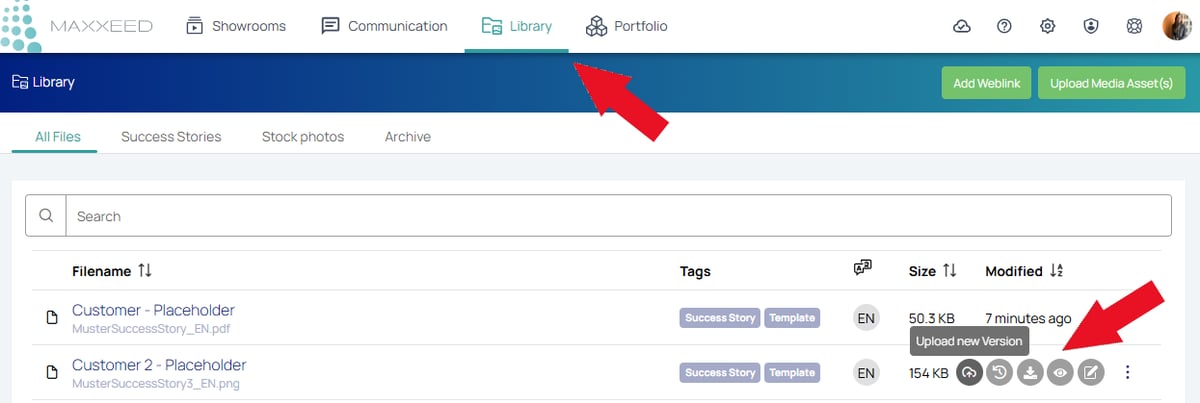
To upload a new version, go to the Library and open the three-dot menu of the file. Select "Upload new version".
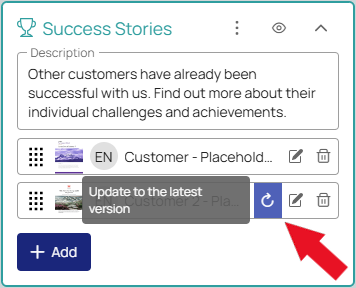
Now a new version is available in all Showrooms that contain this file. You can decide whether you want to use the new version or keep the old one. To update, click on the blue button:
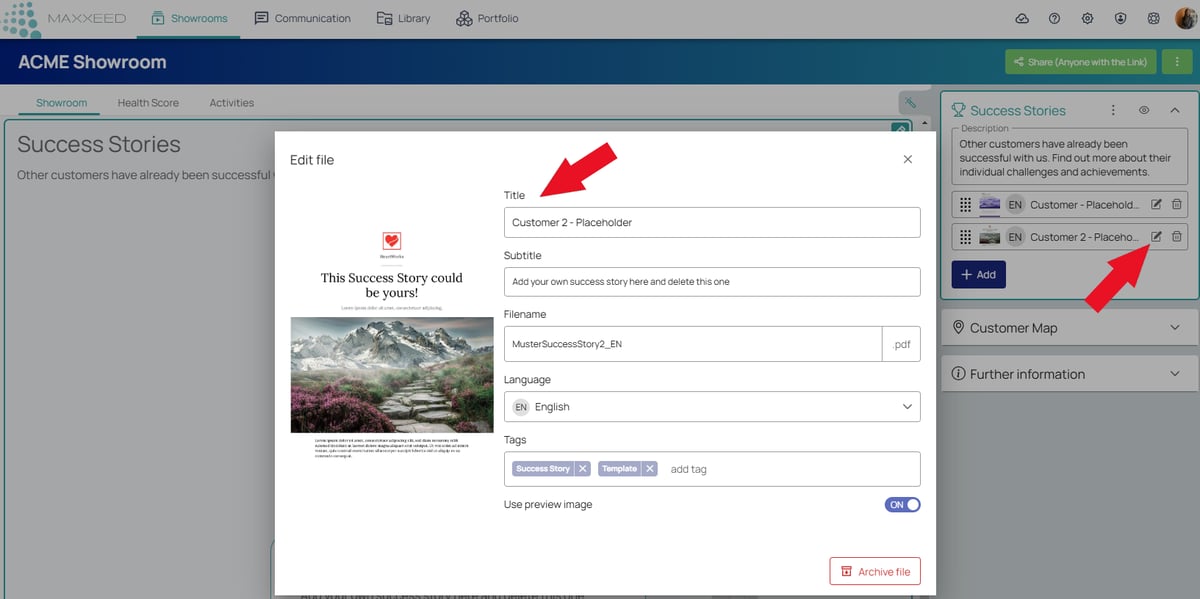
Editing titles and subtitles: All media assets (files, videos, etc.) and weblinks are stored in the Library and reused in the Showroom. If you change the title of a file or of a weblink in the Showroom, the new title is automatically displayed in all Showrooms that use this file.