Chapter
Invite Users (Admins only!)
Invite individual users or create a group invitation link.
Open the "Administration" menu item at the top right and select the menu item "Users" in the submenu. Click on "New User Invitation".
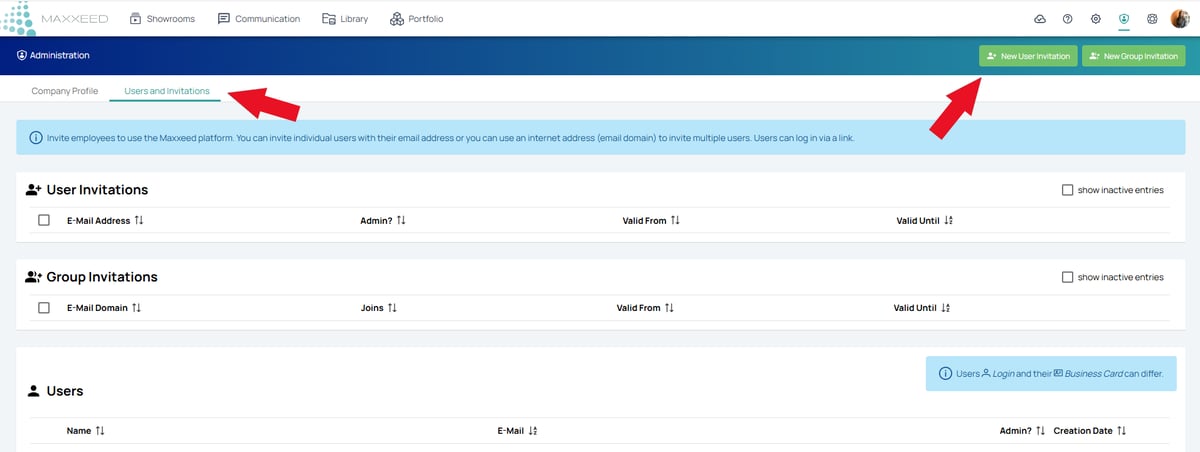
You can also create an invitation link for a group of users to give several people access.
Only admins can find the menu item "Administration" at the top right.
The invited users will automatically receive an email from Maxxeed with the invitation to the company account. The link for a group invitation must be sent to the group by the admin himself via email.